Audit Log
ShoreGuard maintains a persistent audit log of all state-changing operations. Every sandbox creation, policy update, gateway action, approval decision, and user management event is recorded.
What gets audited
Every action that modifies state is logged, including:
- Sandbox lifecycle (create, delete)
- Policy changes (update, preset application)
- Gateway management (register, remove, start, stop)
- Approval decisions (approve, reject, edit, clear)
- User management (create, delete, role change, invite)
- Service principal management (create, delete, rotate)
- OIDC account linking and creation
- Webhook configuration changes
- Inference configuration changes
Audit entry fields
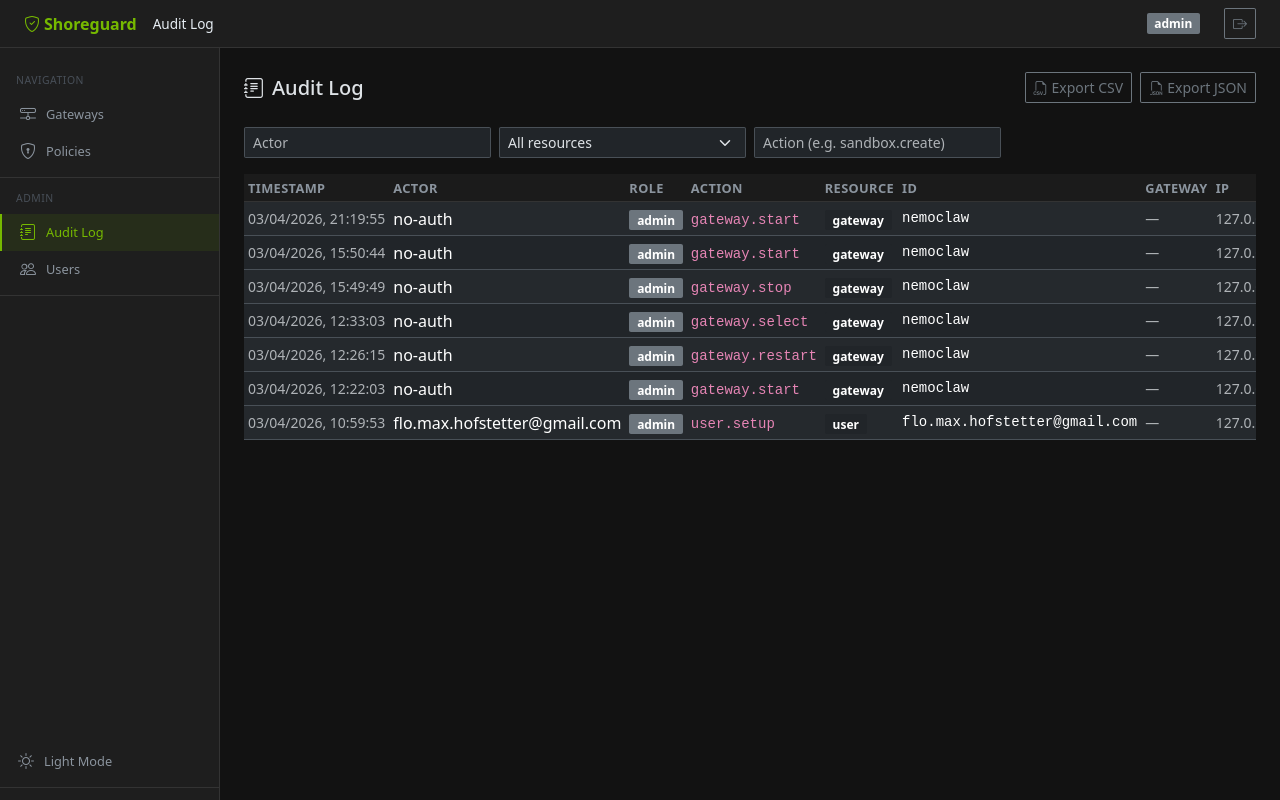
Each entry records:
| Field | Description |
|---|---|
timestamp |
When the action occurred (timezone-aware) |
actor |
Email or service principal name |
actor_role |
Effective role at time of action |
action |
Machine-readable identifier (e.g. sandbox.create, policy.update) |
resource_type |
Type of affected resource (e.g. sandbox, gateway) |
resource_id |
Identifier of the affected resource |
gateway_name |
Human-readable gateway name (if applicable) |
detail |
Optional free-text detail or JSON payload |
client_ip |
IP address of the requesting client |
Viewing the audit log
Web UI
The Audit Log page (under Admin) shows a filterable, paginated table of all recorded events. Use the filter controls to narrow by actor, resource type, or action.
REST API
| Parameter | Description |
|---|---|
actor |
Filter by actor email or name |
resource |
Filter by resource type |
action |
Filter by action identifier |
limit |
Maximum number of entries to return |
Export
Export the audit log as CSV or JSON for external analysis, compliance reporting, or SIEM integration:
The maximum number of rows per export is controlled by
SHOREGUARD_AUDIT_EXPORT_LIMIT (default: 10 000).
Tamper evidence (hash chain)
Every audit row hashes its fields together with the previous row's hash. Editing a row, deleting one from the middle, or inserting one out of band breaks the chain from that point on — exactly the property you want when the question is "what did my agent (or anyone else) do while I slept, and can I trust the answer?".
Verify from the UI (Verify chain on the audit page), the API, or the CLI:
Rows written before the upgrade have no hashes and are reported as
legacy; the chain starts with the first post-upgrade row. Retention
cleanup removes the oldest rows, which is fine — the surviving chain
still verifies. The check is ORM/process-level tamper evidence, not
cryptographic proof against an attacker with direct database and
code access; for off-box guarantees pair it with the syslog/stdout
export lanes.
Retention
Audit entries are retained for 90 days by default. Configure the retention
period via SHOREGUARD_AUDIT_RETENTION_DAYS. Expired entries are purged
automatically by a background cleanup task.
See Configuration for all audit-related settings.